How to turn a handwritten sales log book or invoice into digital records without typing
2026-08-12 · Lateefah Abdulkareem
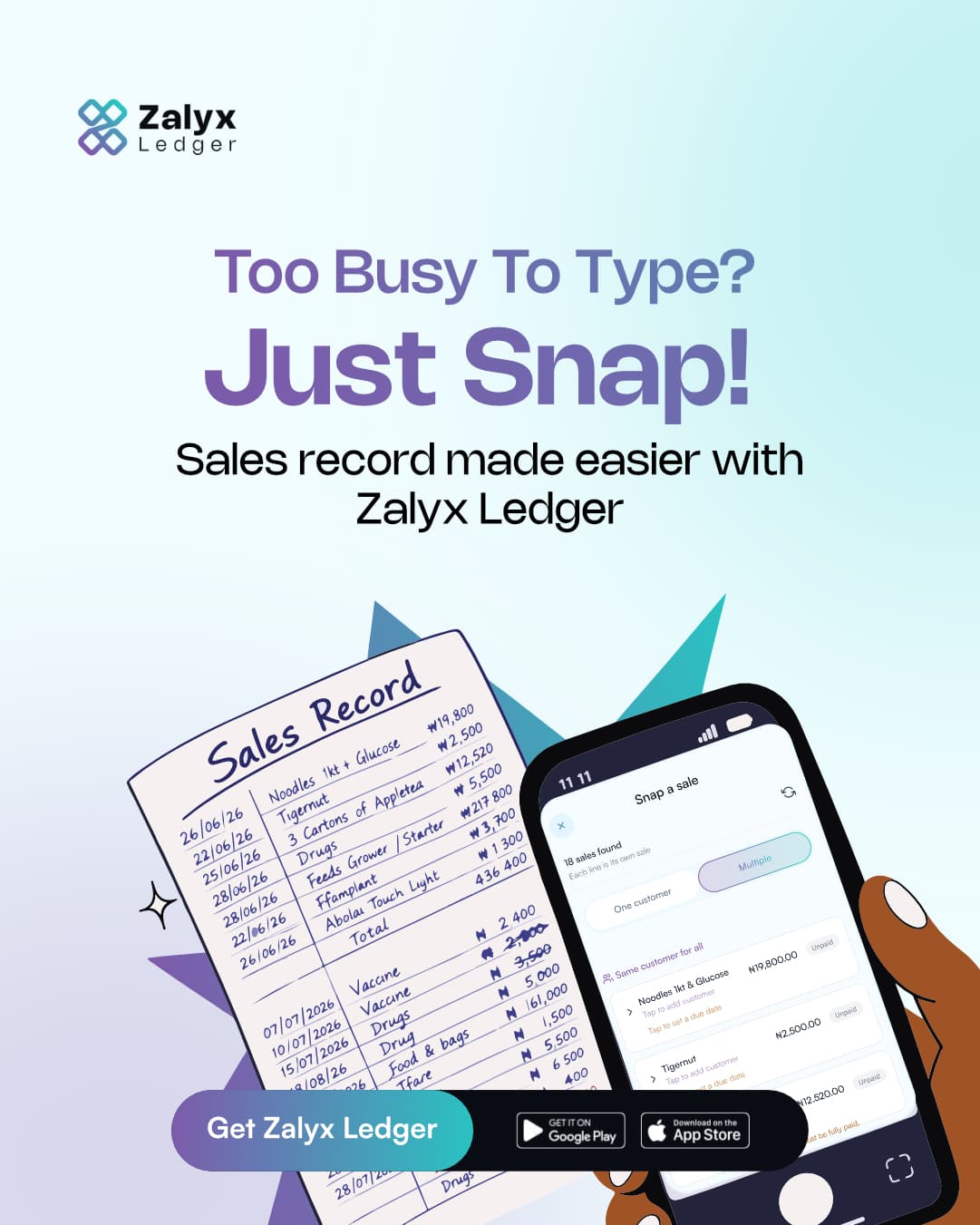
Every trader has a version of this notebook: a log book page, or a stack of invoices, filled in fast between customers. It works in the moment. The problem shows up later, when that paper needs to become records: one sale at a time, typed in, item by item, customer by customer.
Most people never do it. Not because they don't care about their records, but because there is no time in a business day to re-type a page you already wrote once by hand.
Snap it instead of typing it
Open Zalyx Ledger, point your camera at the sales log book page or invoice, and take a photo. Zalyx reads it and turns each line into its own sale (item, price, quantity) the same way you'd have entered them by hand, without the typing.
You still check the work
The photo gets you a first pass, not a finished ledger. After a snap, every sale it found is listed and editable:
- Assign a customer to a line, or leave it as a walk-in.
- Mark how much was actually paid: none, some, or all.
- Set a due date for anything still owed.
If a price is smudged or a name is unclear, you fix that one line. You are correcting a draft, not typing the page from nothing.
Why this matters more than it looks like
The hard part of bookkeeping was never writing the sale down once. It's doing it a second time, in a format you can total up, search, and chase. Snapping your log book or invoice removes that second pass. The page you already wrote becomes the record, instead of becoming homework.
Write your sales the way you already do. Let Zalyx do the second pass. See how to snap a sale for the full steps.
Download Zalyx Ledger It's free, and it works offline.
Download